Fire safety has come a long way from simple beeping alarms. Today, smart fire alarm systems don’t just sound an alarm; they send notifications, integrate with your smart home, and even help you take action remotely. But here’s the big question: Which smart fire alarm ecosystem is actually the most reliable, user-friendly, and efficient?
We tested four of the most talked-about platforms:
✅ Google Nest Protect (Nest App) – Big tech, premium experience
✅ Kidde Smart Alarms (Ring App) – A surprising partnership
✅ X-Sense Smart Alarms (X-Sense App) – New player, ambitious software
✅ Tuya Ecosystem (Tuya Smart App) – The wildcard with endless brands
What Makes a Great Fire Alarm App?
Before we dive in, let’s set the criteria. A solid fire alarm app should:
✔ Send fast, reliable notifications – No one wants a lag when there’s smoke in the house.
✔ Offer intuitive controls – Can you silence false alarms without fumbling?
✔ Integrate with smart home systems – Does it work with Alexa, Google Assistant, or Apple Home?
✔ Provide real-time insights – Battery status, sensor reports, and fire event logs matter.
Now, let’s see which system keeps you safest and stress-free.
🏆 Google Nest Protect – The Smartest, But at a Price
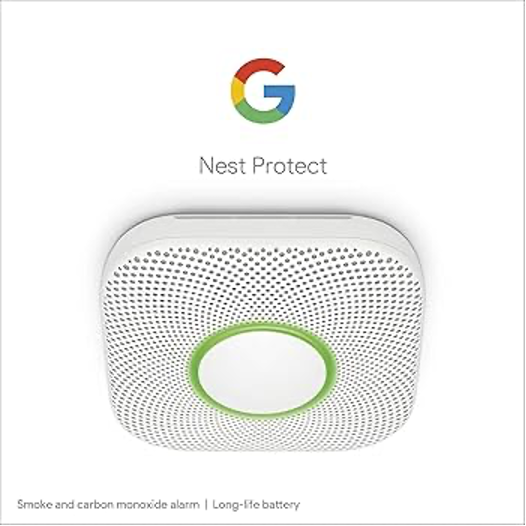
💡App: Google Home (formerly Nest App)
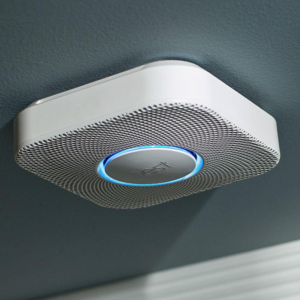
Google’s Nest Protect is considered the gold standard in smart fire alarms, and its software experience reflects that.
🔥Pros:
✔ Fast, intelligent notifications – If smoke or CO is detected, you get a real-time alert with the exact location.
✔ Remote silence – Burnt toast? You can hush the alarm from the app.
✔ Home automation power – Works smoothly with Google Assistant and Matter, turning on lights or unlocking doors during an emergency.
✔ Regular self-checks – The app notifies you if the alarm isn’t working properly.
❌ Cons:
✖ No Apple Home support – It’s Google-centric, and there’s no official Apple HomeKit compatibility.
✖ Pricey buy-in – The Nest Protect isn’t cheap, and the premium app experience reflects that.
🚀 Verdict: If you’re already deep into the Google smart home ecosystem, this is an unmatched fire safety app. But Apple users may feel left out.
🔔 Kidde + Ring – A Surprising Partnership That Works
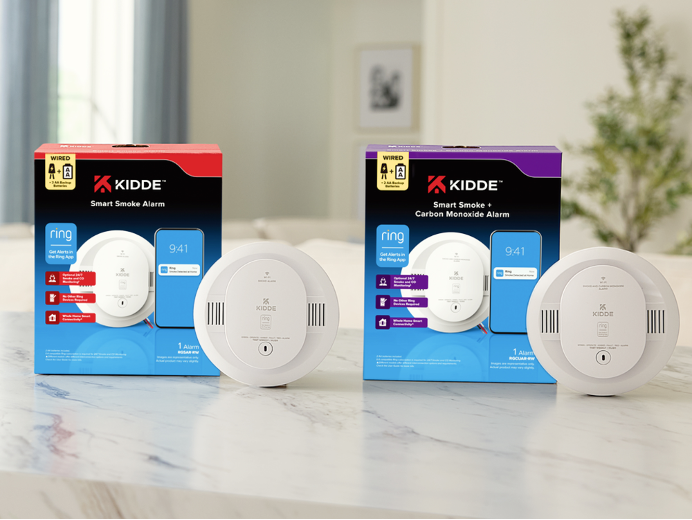
💡 App: Ring App
Kidde is a trusted name in fire safety, and their partnership with Ring brings affordable smart fire protection to homes already using Ring security products.
🔥 Pros:
✔ Seamless Ring integration – If you have a Ring security system, your smoke and CO alarms appear right alongside your cameras and doorbells.
✔ Fast mobile alerts – Like Nest, you get instant notifications when danger is detected.
✔ Professional monitoring option – Subscribe to Ring Protect Pro, and an agent can dispatch emergency services for you.
✔ Works with Alexa – Get voice announcements on Echo devices.
❌ Cons:
✖ No Google or Apple Home support – This is strictly for Alexa and Ring users.
✖ Clunky app interface – The app isn’t as polished as Google’s, and some users report slow response times when silencing alarms.
🚀 Verdict: If you already use Ring, this is an easy and affordable way to add fire safety to your security system. But outside of Ring and Alexa, it’s limited.
🆕 X-Sense – Ambitious, But Needs More Work
💡 App: X-Sense Home Security App
X-Sense is a relatively new player in the smart fire alarm space, but they’ve been aggressively improving their app.
🔥 Pros:
✔ User-friendly interface – Simple and clean design, good for beginners.
✔ Battery & device status at a glance – Quickly check sensor status, battery levels, and historical alerts.
✔ Multi-device linking – You can connect multiple alarms and monitor them all remotely.
❌ Cons:
✖ Slow notification speed – Some users report a delay between smoke detection and receiving the alert.
✖ Limited smart home integration – No Apple Home, limited Alexa/Google compatibility.
✖ Remote silence isn’t always responsive – Unlike Nest, it doesn’t always work instantly.
🚀 Verdict: X-Sense is a promising newcomer, but it’s not yet on the same level as Nest or Ring in terms of speed and ecosystem integration.
🌀 Tuya Smart Home Ecosystem – The Wildcard
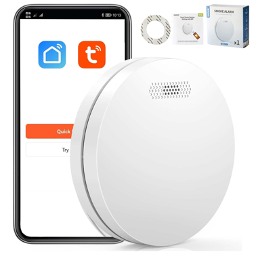
💡 App: Tuya Smart App / Smart Life App
Tuya isn’t a brand—it’s an ecosystem that powers multiple fire alarm brands. You’ll find Tuya-compatible smoke alarms from various manufacturers, all controlled via the Tuya Smart or Smart Life apps.
🔥 Pros:
✔ Supports multiple brands – You’re not locked into one manufacturer.
✔ Alexa, Google Assistant, and Siri Shortcuts – Unlike Kidde and X-Sense, Tuya plays well with all major smart assistants.
✔ Affordable options – Tuya-powered devices are often cheaper than Nest or Ring products.
✔ Home automation power – Tuya allows deep automation, like triggering a smart lock when smoke is detected.
❌ Cons:
✖ Inconsistent experience – Because many brands use Tuya, app quality varies depending on the manufacturer.
✖ Less polished interface – The Tuya app isn’t as refined as Google Home or Ring.
✖ Notifications aren’t always instant – Some users report delays depending on the device brand.
🚀 Verdict: If you want maximum flexibility and affordability, Tuya is great—but inconsistent.
⚖️ Final Verdict: Which Smart Fire Alarm System Wins?
| Feature | 🏆 Google Nest | 🔔 Kidde + Ring | 🆕 X-Sense | 🌀 Tuya Ecosystem |
| Notification Speed | ⭐⭐⭐⭐⭐ | ⭐⭐⭐⭐ | ⭐⭐⭐ | ⭐⭐⭐ |
| Remote Silence | ✅ Instant | ✅ Slight delay | ❌ Unreliable | ❌ Varies |
| Smart Home Support | Alexa | Limited | Google, Alexa, Siri | |
| Ecosystem Lock-in? | Yes (Google) | Yes (Ring/Alexa) | No | No |
| User Interface | ⭐⭐⭐⭐⭐ | ⭐⭐⭐ | ⭐⭐⭐ | ⭐⭐⭐ |
| Affordability | ❌ Expensive | ✅ Moderate | ✅ Moderate | ✅ Affordable |
🏆 The Best Smart Fire Alarm App: Google Nest Protect
If you’re okay with the high price, Google Nest Protect offers the smoothest, fastest, and smartest fire safety experience.
💰 Best Budget Option: Tuya Ecosystem
Tuya gives you the most flexibility if you’re willing to experiment.
🔔 Best for Ring Users: Kidde + Ring
If you already use Ring cameras and security, Kidde + Ring is a no-brainer.
🚀 X-Sense: One to Watch
X-Sense is improving fast, and with more updates, it could become a top competitor.
So—which smart fire alarm app fits YOUR home best?